ExponentHR is a web-based resource for employees and managers to self-manage information related to HR, payroll, and benefit activities. You can access ExponentHR from any computer with an Internet connection, 24 hours a day, 7 days a week. The site has two views:
All employees have access to the Personal View. This view provides access to functional content related to personal compensation, HR administration, workplace safety, and benefits. Personal View allows you to:
View and change employee information
Report time and paid leave
View and change your benefit elections
View pay stubs and other payroll history
View company directories and other organizational information
Access company policies, procedures and documents
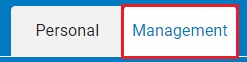
Managers who have been provided access rights to view and manage other employees have access to Management View. To switch to Management View, click the ManagementManagement tab on the Menu on any ExponentHR screen.
You can learn more about ExponentHR on the following pages.
Click here to learn how to use the Utility and Menu to navigate the ExponentHR site.
Click here to learn how to use the Site Map to navigate the ExponentHR site.
Click here to view a short tutorial explaining how ExponentHR works and what you can do with the system.
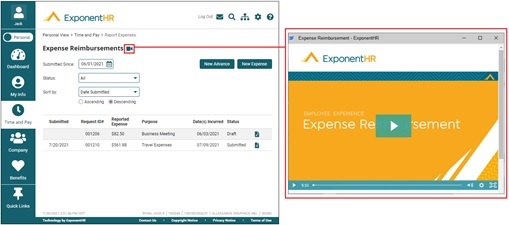
On various pages throughout the ExponentHR website are short tutorial videos that serve as a quick introduction to the respective utility and its functionality. When displayed next to a utility's title, click the video iconvideo icon to watch the available videos.