
You may view company locations in ExponentHR.
You
need to send a package to your corporate office over the weekend,
but do not have the address with you at home. By logging onto
ExponentHR from home, you will have access to the Company Locations
area and will be able to get mailing addresses and contacts for
all of the offices in your corporation. |
To view company locations:
On the Menu, click Company > Company LocationsCompany > Company Locations.
Result: The Company LocationsCompany Locations page displays, showing a list of all company locations.
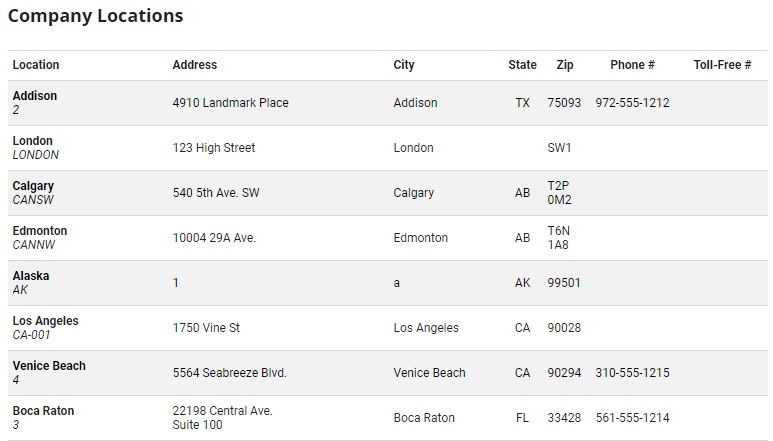
Note: Your corporate headquarters location will always appear on line 1 of the Company Locations table. Any other company locations will appear on following lines organized alphabetically by state.