Use this task to view or edit benefits-related information at any time for a listed dependent.
Your
child is moving to the college dorm this semester and you want
to update the address in the system so that they can continue
to receive mail regarding their benefit information. By accessing
the Dependent Record, you may edit the address for the dependent. |
To view and/or edit dependent information:
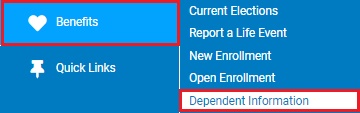
1. On the Menu, click Benefits > Dependent InformationBenefits > Dependent Information.
The Current Elections Dependent InformationCurrent Elections Dependent Information page displays.
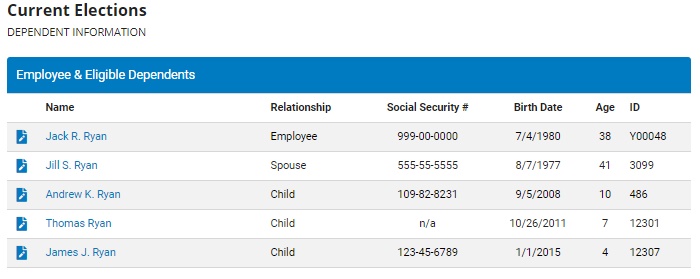
2. Click the EditEdit button next to the appropriate dependent.

The Edit Dependent InformationEdit Dependent Information page displays.
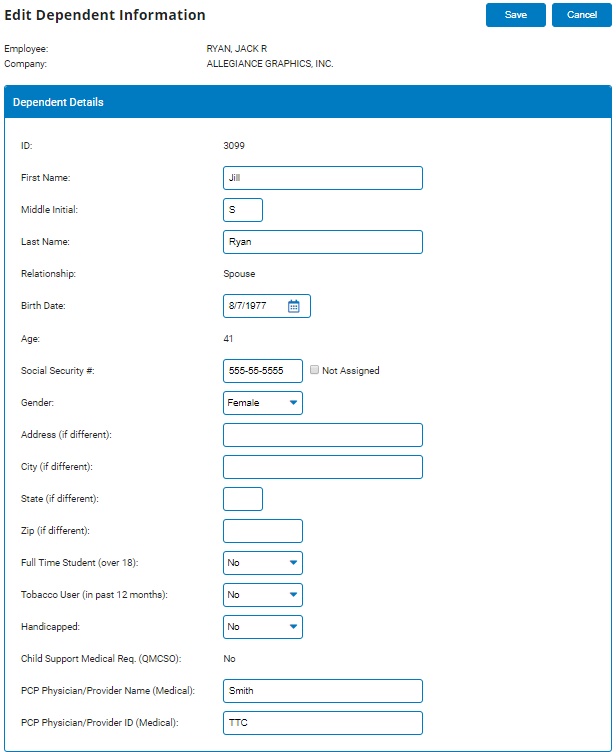
3. Input the new information into the desired Dependent Details fields.
4. Click the SaveSave button.
